



Oktul apps for Jira and Confluence
We build our applications on Atlassian Forge. They keep their data in your Atlassian ecosystem wherever a feature allows. Where one sends data out, its documentation names who receives it. We support them through the Help Center and at support@oktul.com.
- Jira and Confluence
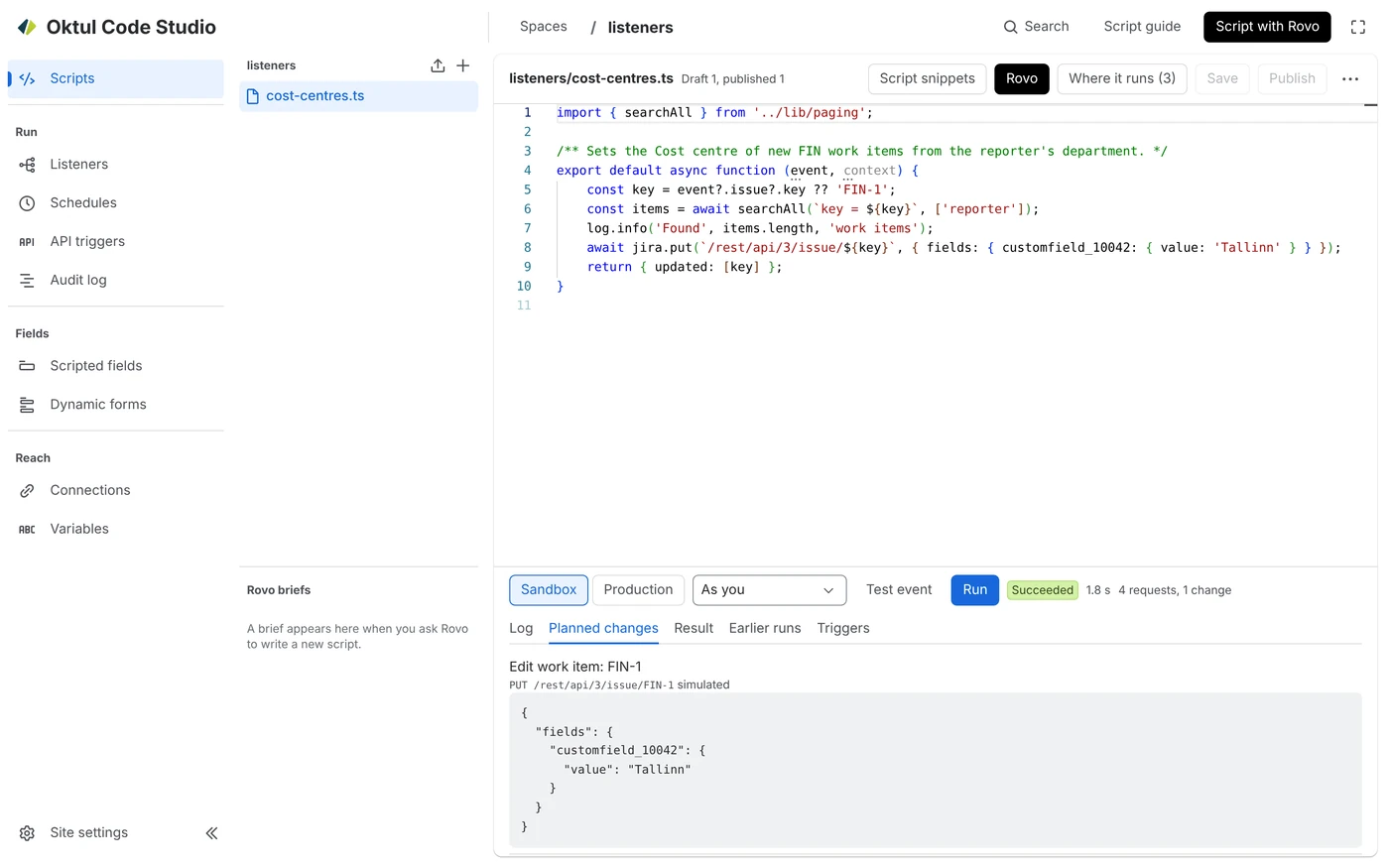
Code Studio
Pending Atlassian approval
Write, store and run JavaScript and TypeScript scripts in Jira and Confluence Cloud.
- Jira
Work Item Selector
Allow users to pick work items based on Jira Query Language (JQL).
- Confluence
SignPlus
Sign a Confluence page, and prove later which version was signed.
- Confluence
Work Item Macro
Show Jira work items on Confluence pages, any field as a column.
- Jira
Regex Field
Pending Atlassian approval
Jira fields that fill themselves in from the form, and only accept your format.
The app you are missing
We build custom Forge apps and Rovo agents for Jira and Confluence, to the same rules as ours.



 Jira and Confluence






Context with your permissions
Our applications give Rovo and other agentic teammates context they use with each person's permissions. The work stays in Jira and Confluence, where Atlassian's Teamwork Graph reads it. Where an application keeps data of its own, it indexes that data and sends it to the graph itself. None of them runs an AI model of its own.
Your work stays in your Atlassian ecosystem
Our applications store data only in your Atlassian ecosystem: in Jira, Confluence and Atlassian's Forge platform, never in a database of ours. Atlassian's Teamwork Graph (opens in a new tab) reads work items, pages and work item properties, and Rovo answers from what it reads.
Indexed and sent to the Teamwork Graph
Where an application keeps data of its own, it indexes that data and sends it to the Teamwork Graph through a connector. Rovo Search, Rovo Chat and the agents you build in Rovo Studio then find it by what it says. Nothing is sent until an organisation admin connects the application.
Permissions travel with the data
Each object goes to the graph with the application's own access rules: the groups and people who may see it. Rovo shows it only to someone who can open it in the application. Anything the application cannot attach access rules to stays out. In Jira and Confluence, their own permissions decide.
Agents act with the person's permissions
Our agents, and Claude or another MCP assistant once an admin turns them on, work through the application's own actions. Each action checks who is asking. The agent reads only what that person may see and changes only what they could change themselves. A step that cannot be undone stays with a person.
Need an app we have not built?
We build Forge apps and Rovo agents around your own process. Answer a few questions for a price range.
Or write to support@oktul.com