





Oktul Work Item Selector for Jira
Oktul Work Item Selector is a Jira custom field that offers only the work items a JQL query returns, with dynamic values for the user and work item.



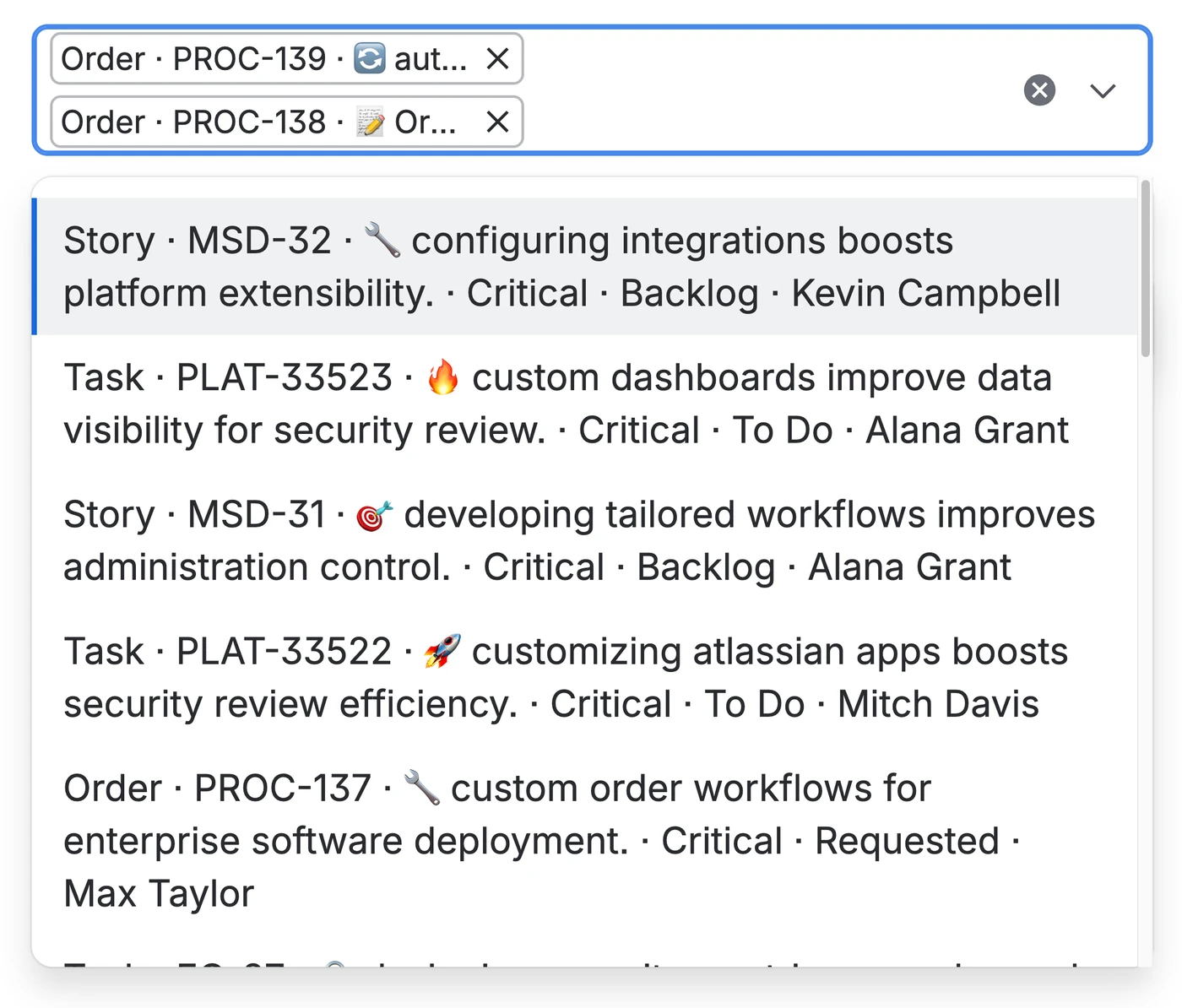
Jira's own link offers every work item
One link field searches the whole site
An editor linking from a service desk ticket is offered every work item they can read, in every project. On an enterprise site that is tens of thousands.
The search scope belongs to the site, not the field
Jira's link has no setting that limits which work items it offers, per field or per project.
A JQL query decides which work items a field offers
Oktul Work Item Selector for Jira is that field. Its query can refer to the work item the field sits on and to the person editing it. Each relationship is written to a work item property on both work items.
Four things it does that the built-in linking does not
You set each one where it belongs in Jira, on the field context or in the workflow settings. Two fields on the same screen can then behave differently.
JQL scope
A Jira administrator sets the JQL on each field context. It can take dynamic values from the user editing the field and from the work item the field sits on.
Set the JQL scopeCustom columns
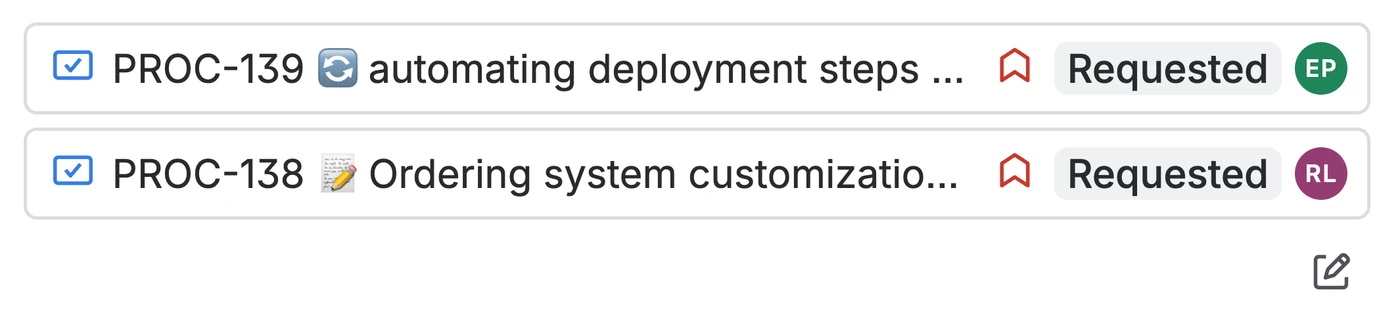
One to seven columns on the selected work item cards: work type, key, summary, priority, status, assignee and custom fields. An editor can tell two similar work items apart without opening either.
Choose the columnsAutomation and JQL
Automation actions can change the field's value. The app adds JQL functions, so the field can be filtered, put on boards and reported on across projects like any other Jira data.
Automate the fieldWorkflow validation
A workflow validator holds a transition until the selection meets your rules: a selection is required, the selected work items are in allowed statuses and projects, and there is no circular dependency back to the work item.
Add the validatorRelationships Rovo and other agents can read
Each relationship is written to a work item property on both work items and indexed. Atlassian's Teamwork Graph reads work item properties, and Rovo and other agentic teammates find the relationships there without a native Jira link. JQL, the app's four JQL functions and Jira's REST API read them too. Picking from a scoped list keeps the data correct when it is entered.
Read how it worksEvery feature
- Automation and JQL
- Set the field from a ruleRead a selection in a ruleJQL functions
Compared with other work item pickers for Jira
A tick means the app does everything the row describes. Where it does part of it, the cell names what is missing.
| Capability | Oktul Work Item Selector for Jira (opens in a new tab)Oktul | Issue Picker for Jira (opens in a new tab)codecentric AG | Work Item Picker For Jira (opens in a new tab)Formine | Work Item Picker - Custom Issue Picker Field for Jira (opens in a new tab)The Starware |
|---|---|---|---|---|
| Runs on AtlassianA badge Atlassian grants on the Marketplace listing to every app that stores data only inside Atlassian and declares no external hosts. | Yes | Yes | Yes | Yes |
| Atlassian's native designThe picker, the selected work items and the configuration screens follow Atlassian's own visual design and user experience. End users cannot tell whether a part is Atlassian's or comes from the app. | Yes | No | Yes | No |
| Permission modesThe administrator chooses whose permissions the search runs with. With the user's, people are offered only work items they can already open. With the app's, they can select work items their own permissions would hide. | Yes | Yes | No | No |
| Choose the fields shownThe administrator picks which fields each selected work item shows, from any field on the site rather than from a short list the app decides. | Yes | Fixed set of fields | Yes | Fixed set of fields |
| Works on the create screenThe field can be filled in while the work item is being created, not only edited afterwards. | Yes | Does not look native | Yes | Yes |
| Works on the customer portalCustomers can fill in the field when they raise a request on a Jira Service Management portal. | Yes | Does not look native | Yes | Yes |
| Its own Automation actionThe app adds an Automation action, so an administrator sets the field by filling in a form rather than writing JSON into Jira's Edit work item action. | Yes | No | No | No |
| Workflow validationA validator holds a transition until the selected work items meet conditions the administrator sets, such as their status or their project. | Yes | No | No | No |
| JQL functionsThe app adds JQL functions that find the work items a given work item selects, or the ones that select it, across every field or in one named field. | Yes | No | No | No |
| Synced Jira linksEach selection can be kept as a native Jira work item link, and removing either one removes the other. | Yes | Deleting a link keeps the selection | No | No |
| Reverse lookupsAutomation smart values and the REST API can read the dependencies in both directions: what a work item has selected and which work items have selected the current one. | Yes | No | No | No |
Checked on against each product's published documentation, its Marketplace listing where it has one, and testing. If a row no longer matches what an app does, write to hello@oktul.com and we will check it again.
The tests every release has to pass
Automated tests help us provide higher quality, add new functionality and patch vulnerabilities faster.
Automated tests
Run before every release, security and injection tests included.
Test suites
Behaviour, configuration, permissions and input handling.
Installation runs through the Atlassian Marketplace
There is absolutely no infrastructure on Oktul's side. The entire application runs within your Atlassian ecosystem.
- Install from the MarketplaceIt runs entirely on Atlassian Forge, and its setup screens are Atlassian's own.
- Create the fieldChoose the type Oktul Work Item Selector (Single Select) or Oktul Work Item Selector (Multi select).
- Set the scope on the field contextSet the JQL, the columns on selected work items and whether the field respects each user’s permissions.
- Add the field to a screenUse the screen schemes your work types use, as for any other Jira custom field.
Host platform and compatibility
- Host product
- Jira Cloud
- Runtime
- Atlassian Forge
- Automation
- Supported
- Data residency
- Your site’s
- Selections per field
- Up to 100, Forge's limit
- Version
- 3.14.0, 21.10.2026
For your security review
Runs on Atlassian
Atlassian grants this badge to every application that stores data only within your isolated infrastructure and has no external connections.
What the programme requires (opens in a new tab)CSA STAR Level 1
This application is listed in the Cloud Security Alliance STAR Registry at Level 1. We completed the CAIQ Lite questionnaire with all 138 questions, and published it for you or for your security reviewer.
Read the assessment (opens in a new tab)Questions administrators ask
Can Rovo see which Jira work items are related?
Yes. Oktul Work Item Selector for Jira writes each relationship to a work item property on both work items and indexes it. Atlassian's Teamwork Graph reads work item properties, and Rovo and other agentic teammates find the relationships there without a native Jira link. JQL, the app's JQL functions such as workItemsSelectedBy, and Jira's REST API read them too. You can also keep each selection as a native Jira link, set per field context.
How do I limit a Jira work item picker to the results of a JQL query?
Add a custom field whose search scope is a JQL query. Jira’s own work item link offers every work item the user can read on the site. Oktul Work Item Selector for Jira is such a field: an administrator sets the JQL on each field context, and the field offers only what it returns. With placeholders such as {{issue.key}} and {{user.accountId}}, the scope follows the work item and the person editing it. Elsewhere, such as bulk edit, the field is a plain text box.
Who can install it?
An organisation administrator, from the Atlassian Marketplace listing. The application declares no external permissions and shows no consent screen for external data access. A Forge application can take up to a minute to become available across a site.
What happens to our data if we uninstall?
The fields disappear from your site. Atlassian keeps the values for 30 days and then deletes them. Reinstalling within that time brings the fields back with their values. Export the work items with their values first if you may need them.
Does it replace Jira’s own work item links?
No. Existing links keep working and nothing has to be migrated. Use the built-in link where you want to search the whole site, and this field where the work items on offer need to be limited.
Will this application be supported when Atlassian changes the platform?
Yes. Each release is built to work on a Jira ahead of or behind the rest of Atlassian's rollout, and on a site that has not yet approved a new permission. If a problem still comes up, raise it in the Help Center and we resolve it under the service level agreement.
Oktul's other applications
- Jira and Confluence
Code Studio
Pending Atlassian approval
Write, store and run JavaScript and TypeScript scripts in Jira and Confluence Cloud.
- Confluence
SignPlus
Sign a Confluence page, and prove later which version was signed.
- Confluence
Work Item Macro
Show Jira work items on Confluence pages, any field as a column.
- Jira
Regex Field
Pending Atlassian approval
Jira fields that fill themselves in from the form, and only accept your format.



 Jira and Confluence





Start your free trial
All our paid applications have a 30-day free trial and are free for up to 10 users. Pricing and billing run through the official Atlassian Marketplace, so there is no new supplier to onboard.