



Limit the field with a JQL scope
The JQL query that decides which work items an Oktul Work Item Selector field offers in Jira, per field context, with placeholders for the work item and person.
The JQL scope decides which work items the picker offers. It is required, and set per field context: one “Blocked by” field can offer engineering work in one space and support requests in another.
Setting it
- Open Settings, the gear icon at the top right, then Work items
- Select Fields in the left menu
- Find your field, then select the three dots beside it and Contexts and default values
- Select Edit custom field config
- Write the JQL
Jira checks it as you type. Green: valid and matches work items. Amber: valid, matches nothing yet. Red: invalid. An approximate count is shown alongside.
- Choose the order
Add ORDER BY to set the order. Without it, recently updated comes first.
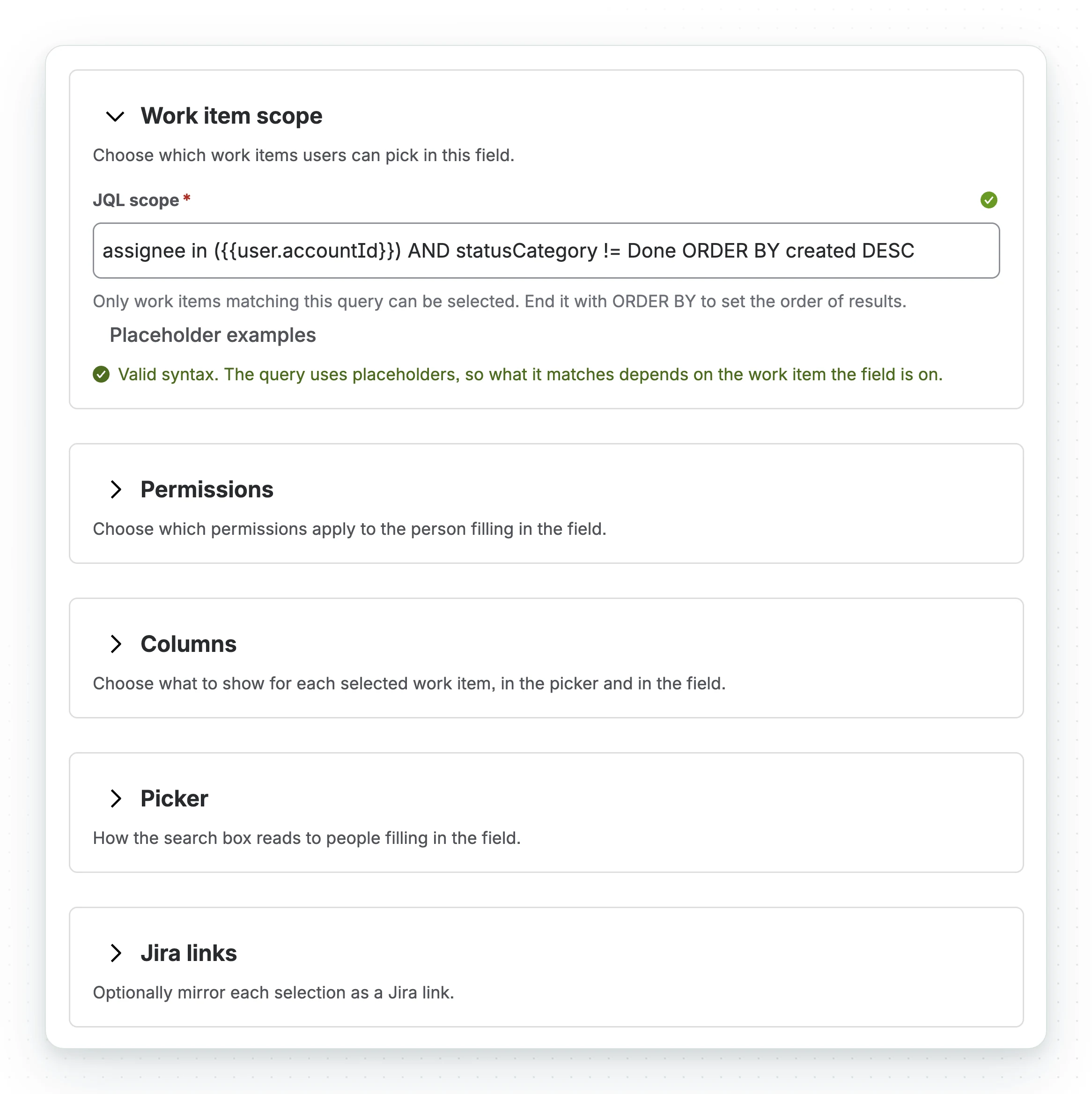
Placeholders
A placeholder is filled from the work item being edited, so the scope follows each work item.
parent = {{issue.key}}project = {{issue.project.key}}assignee = {{user.accountId}}"Team" = {{issue.customfield_12345}}labels in ({{issue.labels}})Every field works, system or custom, nested to any depth.
- Values are quoted and escaped for you. Do not add quotes:
"{{issue.summary}}"is rejected. {{user.accountId}}is the only placeholder for the person. Otheruservalues are rejected.- An empty value: the picker names the empty field.
- On the create screen there is no work item yet, so
{{issue.…}}cannot run. Only{{user.accountId}}works there. - A scope with placeholders shows no count and adds nothing to advanced search autocomplete.
- Automation cannot set a field whose scope uses
{{user.accountId}}: a rule has no viewer. See Automation and JQL.
The scope is a selection constraint, not an access control
The scope limits what the picker offers, not what the field can hold. CSV import, the REST API and Automation’s advanced JSON edit skip the picker.
Use Jira permissions for access control. Use the scope to keep the picker useful.
Narrowing the scope later keeps existing selections. The picker just stops offering them.
What the scope does not control
- Whose permissions the search uses is permission mode. Under
IGNORE_USERa person can select work items they cannot browse, within the scope. - How many work items a field holds depends on single or multi select. See set up the field.
Worked example
A “Blocked by” field that offers open work items in the same space, most urgent first:
project = {{issue.project.key}} AND statusCategory != Done ORDER BY priority DESCThe same field, in a support space’s context:
project = SUPPORT AND resolution IS EMPTY ORDER BY created DESCCommon questions
- Where is the JQL scope set?
- In the field's context: Settings, Work items, Fields, the three dots beside the field, Contexts and default values, Edit custom field config.
- Can the scope depend on the work item or the person?
- Yes, with placeholders such as
{{issue.key}}and{{user.accountId}}. - Does the scope stop people opening other work items?
- No. It limits what the picker offers, not what a person can open.
- In what order does the picker list work items?
- The scope's
ORDER BY. Without one, recently updated comes first.
Related
- Permission mode, which decides whose permissions the search runs with
- Set up the field
- Automation and JQL, where the scope decides what a rule may write
- Workflow validation
- Privacy and data handling
A problem or a question? Write to support@oktul.com or open a request in the Help Center (opens in a new tab).