



Connections and variables
This site needs no connection: jira, confluence and assets reach it directly, as the run’s
principal. A request a script sends to this site’s own Atlassian API gateway,
api.atlassian.com/ex/jira/<this site>, is routed through Forge too.
Connections
A connection names another system: a base URL and how to authenticate. A script uses it by its key,
http.get('graph', '/groups'), and never sees the secret: the credential is added after the
script built the request. None reaches a browser.
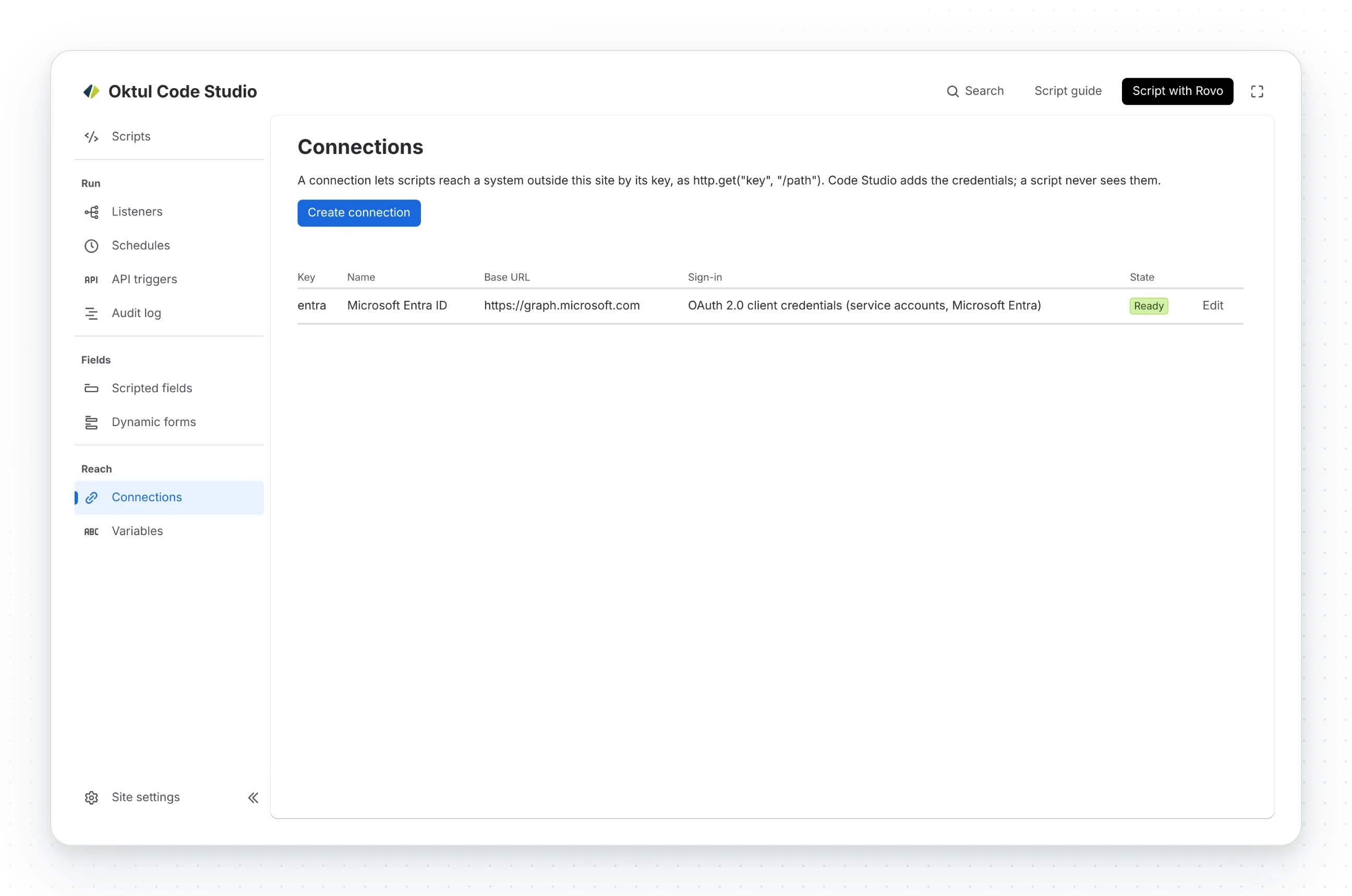
Create connection starts from what you want to reach, and each guide numbers the steps on the other side:
| Connector | Authentication |
|---|---|
| Another Atlassian site | A service account’s OAuth 2.0 client credentials |
| Atlassian Administration | An organisation API key |
| Microsoft Entra ID and Graph | OAuth 2.0 client credentials from an app registration |
| Zoho | OAuth 2.0 refresh token, from a Self Client whose one-time code Code Studio exchanges |
| Any HTTP API | None, bearer token, basic, a header, a query parameter, OAuth 2.0 client credentials or refresh token, or a GitHub App. Headers can be added, each secret if you choose |
- Credentials live in Forge’s secret store and are never shown again after saving.
- No Atlassian API token or password. Atlassian does not allow a Marketplace app to collect
one, so a connection to an Atlassian host refuses basic sign-in. The exception is a Bitbucket
access token with the user name
x-token-auth. - Saved with an API token before 21.10.2026? The update erased the token. The connection waits for an administrator to switch it to a service account.
- The base URL is decided on the server. A script cannot point a connection elsewhere.
Approving a host
A Forge app reaches only the hosts its manifest declares.
- Always allowed:
api.github.com,api.bitbucket.org,gitlab.com,api.atlassian.comandauth.atlassian.com. - Any other host, a connection’s or one a script calls with
fetch: a site administrator approves it in Atlassian’s own dialog. Code Studio stores it only once that is confirmed. - Withdraw an approval in Atlassian Administration.
- No wildcard in the manifest. Approving
*in the dialog makes Atlassian say so.
A host reached through a connection is approved under Connections in the console; a host a script calls directly, with no credentials, under Hosts scripts may call directly in the site settings.
Script variables
Named values every script reads as context.environment.vars.NAME, as in ScriptRunner Connect.
The editor completes their names.
A secret variable still reaches the script, since ScriptRunner scripts send such values in their own token requests. Its value is blanked out of every log line, result, error and listed change.
Prefer a connection to a secret variable
A connection keeps the credential out of the script entirely. A secret variable is for a script that has to build its own token request.
Common questions
- Does a script see a connection's credential?
- No. Code Studio adds the credential after the script built the request, and none reaches a browser.
- Which systems have a ready-made connector?
- Another Atlassian site, Atlassian Administration, Microsoft Entra ID and Graph, Zoho, and any other HTTP API.
- How does a script read a script variable?
- As
context.environment.vars.NAME. A secret variable's value is blanked out of every log, result and error.
Related
A problem or a question? Write to support@oktul.com or open a request in the Help Center (opens in a new tab). Both open a request with a reference and an SLA.