



Triggers
Every trigger takes the same path: the server decides the mode, the principal and the script from stored configuration, stores the run and queues it.
- Where: the console’s Listeners, Schedules and API triggers, a script’s Where it runs, or the run panel’s Triggers tab.
- Who: only an administrator changes them.
Listeners
A listener runs a script when a Jira or Confluence event happens: a work item created, updated, assigned or commented, a page published, a sprint started, an attachment added and the other events Atlassian’s Forge platform delivers. A listener filters on the event, and runs in the sandbox or in production.
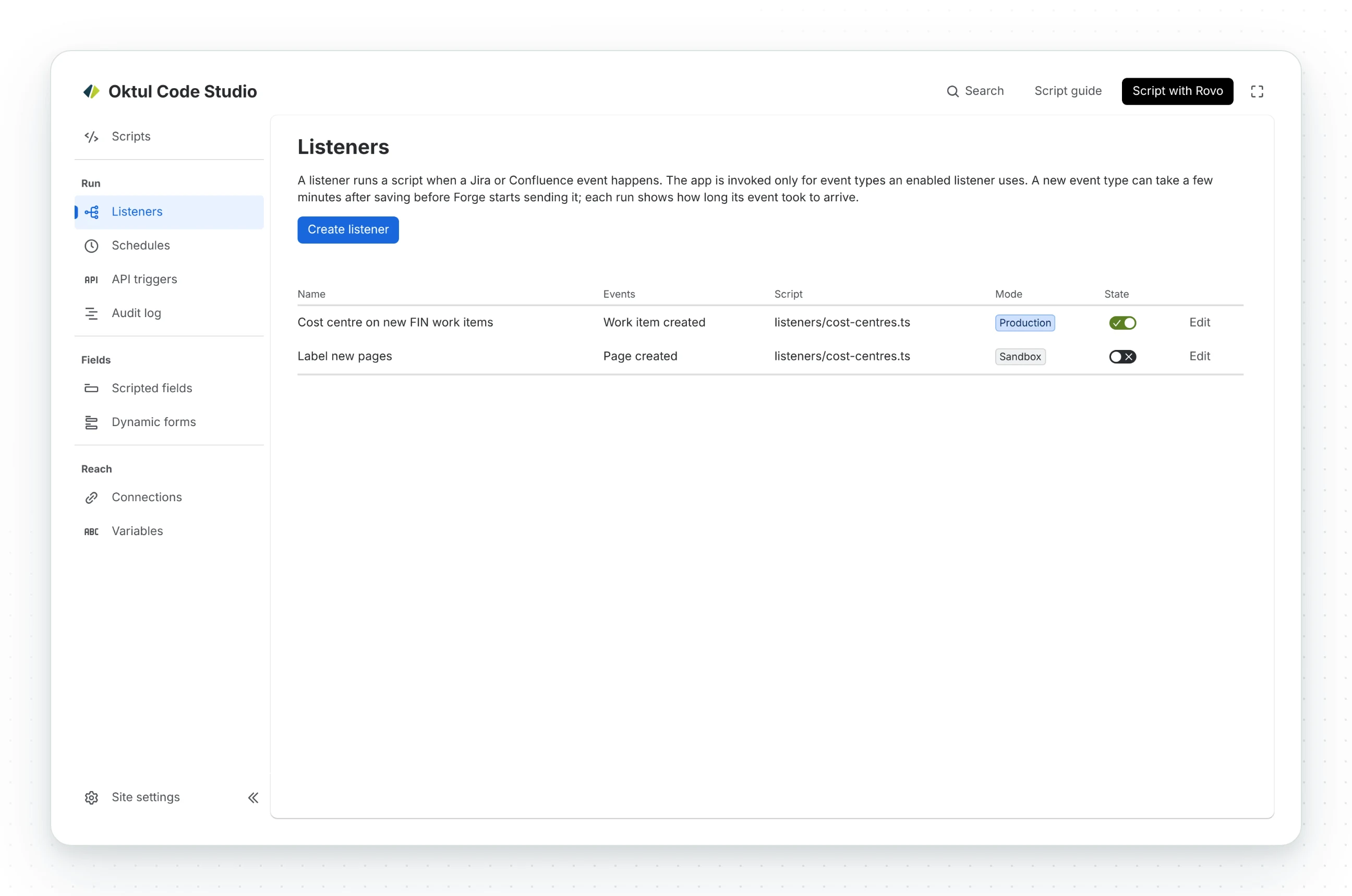
- The event is the one ScriptRunner scripts expect. Atlassian’s events are thin, so before the
script runs Code Studio fetches what the event names (the whole work item, the page, the user) and
hands the script the payload Jira’s webhook or Confluence Connect would have sent:
webhookEvent,issue,user,changelog,comment. A ScriptRunner Connect listener runs unchanged. The raw Forge event iscontext.forgeEvent. - Each event runs once per listener, even when Forge delivers it twice.
- A loop is stopped. A run caused by another run’s change is one deeper; the eleventh in a chain is stopped before it does anything, as ScriptRunner stops its eleventh self-triggered run.
- A failing listener pauses. After the number of failed production runs in a row set in the site settings, it pauses until its script runs successfully in the console.
Event delivery is Atlassian's
Atlassian delivers a product event up to 3 minutes after the change, and does not deliver an event over 200 KB. A run starts when the event arrives.
Schedules
A schedule runs a published script at the times you pick, in its own time zone. How often offers every few minutes, hourly, daily, weekdays, weekly and monthly in words, or a cron expression of your own.
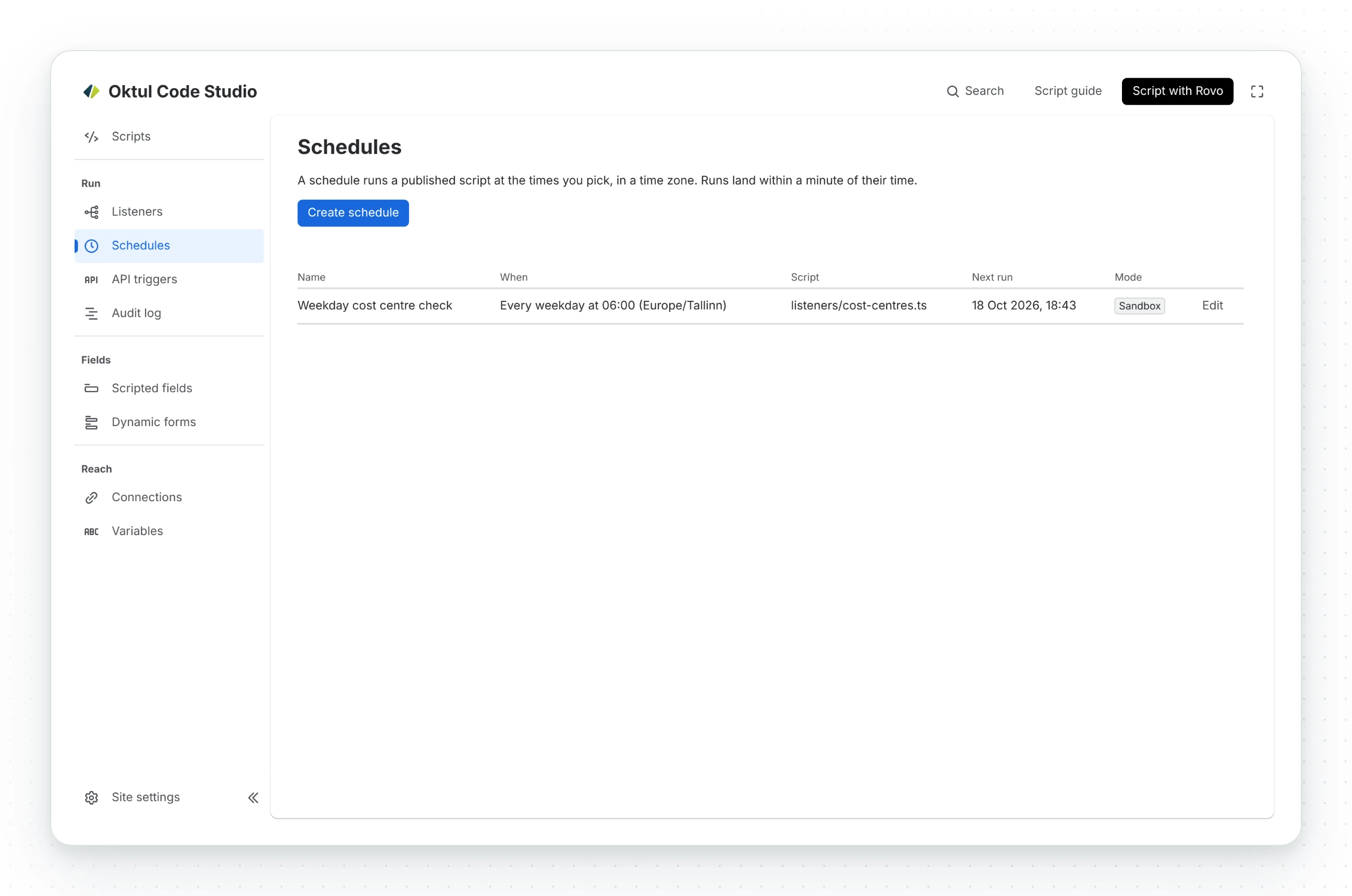
A cron expression of your own can be:
-
Standard cron, five fields:
minute hour day-of-month month day-of-week, as Unix writes it. -
Quartz, six or seven fields with seconds and
?, as ScriptRunner for Jira Data Center writes it.L,Wand#are refused with a message. -
@hourly,@daily,@weekly,@monthlyand@yearly. -
Queued about ten minutes early and started on its minute. Until then it shows as Scheduled, with Cancel.
-
Deleting a schedule cancels its waiting runs.
-
Missed while the app could not run: it runs once, and the schedule moves on from now.
-
Pauses after failed runs, as a listener does.
API triggers
An API trigger runs a script from an HTTP request, from another system or a webhook.
- One address for the app, with the trigger named in the query parameter
cc-trigger. - Its secret travels as
Authorization: Bearer <secret>. A secret in the address is refused. Only the secret’s SHA-256 is stored, compared in constant time. GETorPOST. The script’seventis the request; a JSON body’s own fields sit beside it, so a webhook-shaped body reads as an event.- The trigger answers
202at once, or waits up to 45 seconds and answers with what the script returns ({ statusCode, headers, body }, or its result as JSON). A run that outlasts the wait is read later withGETandcc-run=<id>, with the same secret.
Calling one:
- From Code Studio on another site: a connection of type An HTTP API, the address up to the
?as its Base URL, Bearer token holding the secret. - From a Forge app: declare the trigger’s host, keep the address and secret in encrypted variables.
- With curl: the whole address in quotes.
export default async function () { return http.post('invoices', '/', { invoice: 'INV-1042' }, { query: { 'cc-trigger': '<the trigger id from its address>' }, });}import { fetch } from '@forge/api';
const response = await fetch(process.env.TRIGGER_URL, { method: 'POST', headers: { Authorization: `Bearer ${process.env.TRIGGER_SECRET}`, 'Content-Type': 'application/json' }, body: JSON.stringify({ invoice: 'INV-1042' })});console.log(response.status, await response.json());curl -X POST "$TRIGGER_URL" \ -H "Authorization: Bearer $TRIGGER_SECRET" \ -H "Content-Type: application/json" \ -d '{ "invoice": "INV-1042" }'Jira automation
Run a Code Studio script is an action in Jira automation. It needs Jira: the Jira listing, or the Confluence listing with Jira connected.
| Input | What it is |
|---|---|
| Script | One an administrator allowed for rules |
| Mode | sandbox or production, as allowed for that script |
| Parameters | JSON the script receives as event.params, smart values included |
| Wait for the result | Whether the step waits up to 45 seconds |
| Work item key, Work item ID, Rule, Initiator | Smart values the script receives on event |
Later steps read the run’s runId, status and, when it finished within the wait, its result
as JSON. A failed run fails the step. The rule runs the script as the app.
Their smart values are {{triggeredCodestudioRun.runId}}, {{triggeredCodestudioRun.status}}
and {{triggeredCodestudioRun.result}}.
Jira builds the name from the action and allows no capital inside it, so it reads Codestudio.
Common questions
- What can start a Code Studio script?
- The console, a Jira or Confluence event through a listener, a schedule, a Jira automation rule, or an HTTP request through an API trigger.
- How does an API trigger authenticate a request?
- With its secret, sent as
Authorization: Bearer <secret>. A secret in the address is refused. - Can a Confluence automation rule run a script?
- Through an API trigger, with Send web request. Run a Code Studio script is an action in Jira automation.
- How soon does a listener run after a change?
- When Atlassian delivers the event, up to 3 minutes after the change.
Related
A problem or a question? Write to support@oktul.com or open a request in the Help Center (opens in a new tab). Both open a request with a reference and an SLA.