



Sandbox and production
Every Oktul Code Studio run is in one of two modes:
- Sandbox reads your site for real and lists every write instead of sending it.
- Production sends everything and records what changed.
The server decides the mode from stored configuration and your role, never from the request.
Sandbox
- Reads go through. The script reads Jira, Confluence and Assets for real, as the run’s principal.
- Writes are recorded, not sent. Each write is matched against Atlassian’s published API, recorded as a change with a sentence a person reads, such as Edit work item ABC-1, and answered with a simulated response. A created object gets an id the script can keep using.
- An unknown write is recorded as unknown, and never sent.
- Other systems. A write to another system is never sent. A read is sent through a connection only when an administrator allowed sandbox reads on it, and directly only to a host the app declares or an administrator approved.
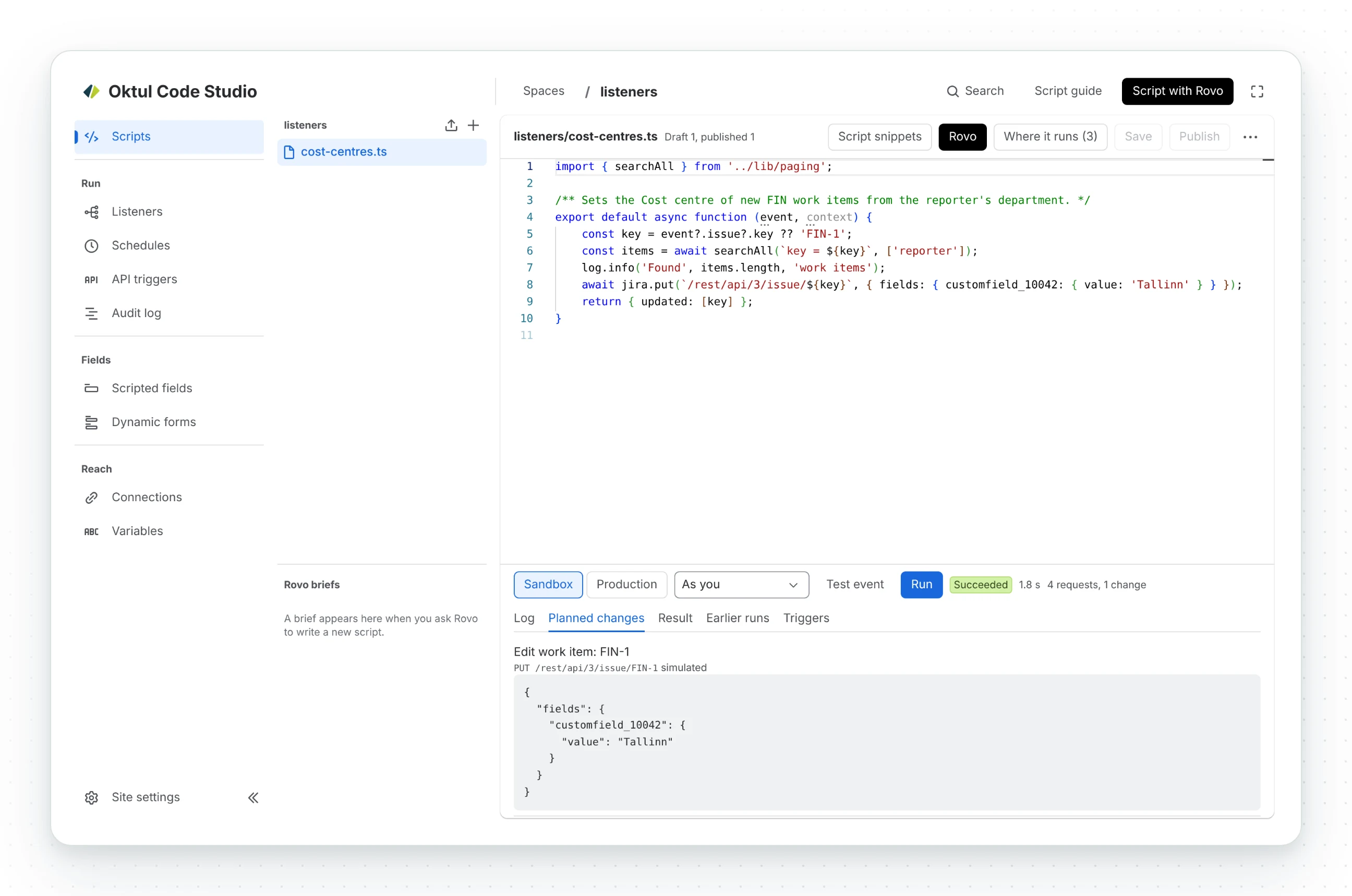
The run panel then shows the log, the result and Planned changes.
A preview, not a promise
The sandbox reports what the script would have changed against the site as it was. A production run later can differ: the site may have changed, and a script whose path depends on what its writes return sees a simulated answer in the sandbox.
The sandbox holds by construction: no engine reaches the network except through the host that records the writes, so a script cannot route around it.
Production
- Runs only published revisions, unless an administrator turns on running unsaved console code in production.
- Sends every request, and records every write with the status it got, so the run says what it changed.
- Production is an administrator’s, or a developer’s with Allow developers to run code in production on, for a published script in a space they may edit.
Whom a run acts as
A run’s product requests run as the app or as the person who started it (Forge’s offline impersonation, so their permissions apply).
- A developer’s console run always acts as the developer.
- An administrator chooses their own account or the app’s. The app reads whatever its scopes reach, which is more than a developer may see.
- A listener, schedule, rule or API trigger states its principal in its own settings.
Stopping and continuing
- A run still waiting in the queue is cancelled, with Cancel, and ends at once as Cancelled: nothing can start it afterwards.
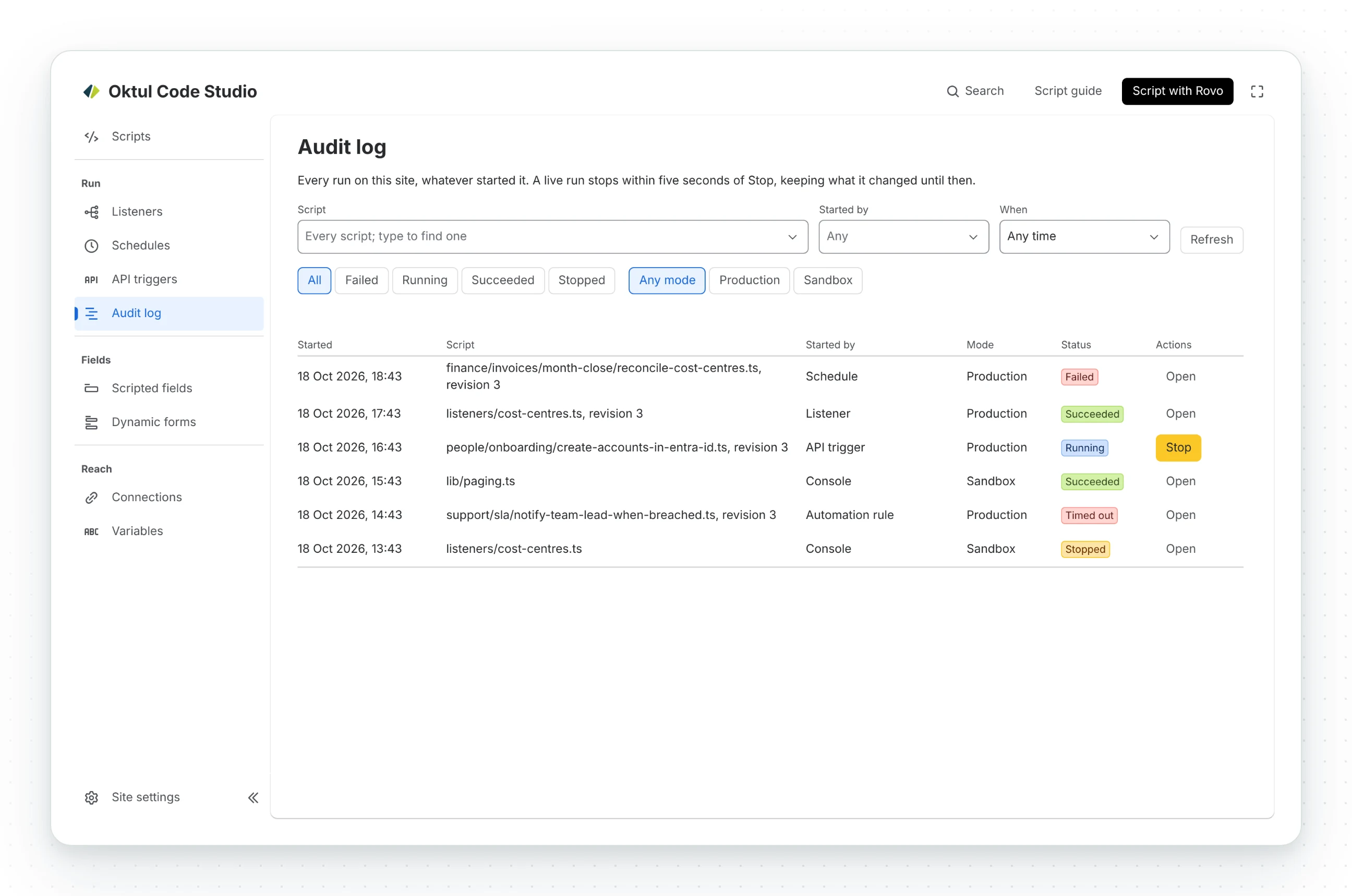
- Any run can be stopped from the console, the runs list or the listener that started it. A run
waiting on a request stops within 5 seconds. A script that only computes, with no
await, holds the thread and stops when its invocation ends, at most 15 minutes later. - A long run continues itself. The engine stops 30 seconds before the invocation’s 900 seconds run out, and a new invocation replays the script against the record of every answer it was given, so nothing is sent twice, then carries on live. At most three continuations, about an hour; a run that would need a fourth is stopped as runaway.
context.checkpoint(state)in a long loop keeps the replay short.
Common questions
- Does a sandbox run change anything?
- No. Reads go through for real, and every write is recorded under Planned changes and answered with a simulated response instead of being sent.
- Will a production run do exactly what the sandbox showed?
- Not always. The site may have changed in between, and a script that branches on what its writes return sees a simulated answer in the sandbox.
- Who can run a script in production?
- An administrator, or a developer when Allow developers to run code in production is on, for a published script in a space they may edit.
- Can I stop a running script?
- Yes, from the console, the runs list or the listener that started it. A run waiting on a request stops within 5 seconds.
Related
A problem or a question? Write to support@oktul.com or open a request in the Help Center (opens in a new tab). Both open a request with a reference and an SLA.