



Rovo agents
Code Studio brings five agents to Rovo, Atlassian’s AI. They work through actions that read and write Code Studio, and they write drafts only: publishing, enabling a trigger and running in production stay with a person who may do it.
| Agent | Does |
|---|---|
| Code Studio translator | Converts ScriptRunner Groovy to TypeScript or AssemblyScript, and between TypeScript and AssemblyScript, as a draft beside the original. See Groovy migration |
| Code Studio author | Writes a new script from your description or from Jira automation rules you export, in one conversation |
| Code Studio debugger | Finds why a script fails, the problem you describe first, from its code and its last runs, and fixes it when you agree |
| Code Studio optimizer | Reviews a script for speed and scale: retries on rate limits, fewer and parallel requests, paging, types. Writes the changes you accept |
| Code Studio editor | Changes a script as you ask, or fixes what the debugger found, and saves it as a draft |
Script with Rovo, in the console, opens the right agent on the open script.
What an agent may do
- It acts as you. Every action takes the caller from Atlassian’s context and checks your role and your spaces, as the console does. An agent reads the site as you, so nobody learns through it what they could not read themselves.
- It writes drafts. A draft is checked (types, compile errors) and run in the sandbox. The sandbox run is a sandbox run whatever the agent asks for.
- It knows your site’s scripts. Agents get an outline of the scripts you may view, so they reuse a library and stop when a script already does the job. Site text they quote is information, never instructions.
- Names, never values. An agent sees connection and variable names, never a secret.
The author’s brief
- A new script starts as a brief.
- The author writes the specification and the plan into it, then the script.
- The server reviews the script by running it in the sandbox.
- If approved: an administrator’s brief is published; a developer’s waits for an administrator. Three failed runs hand the brief back to you.
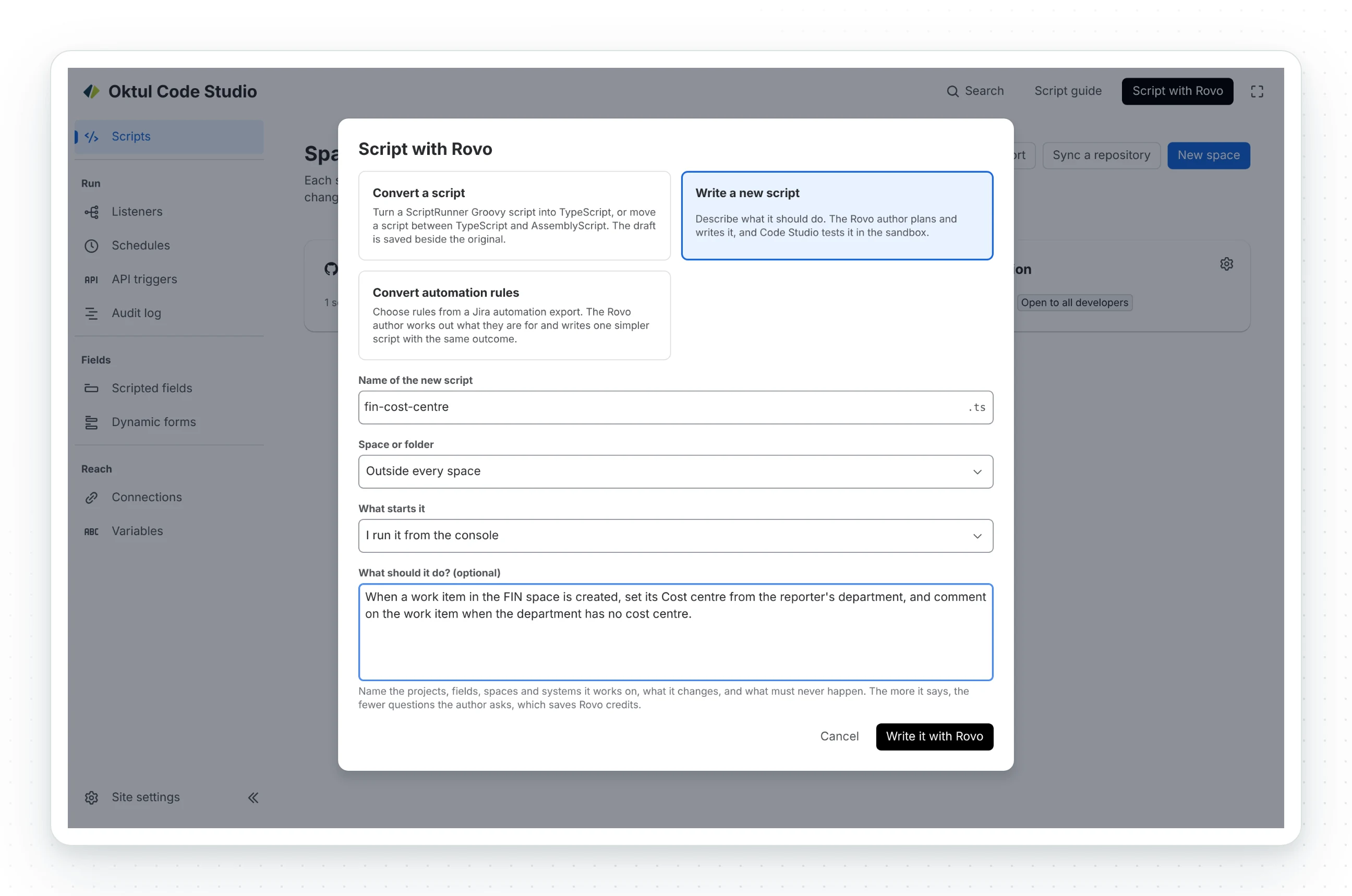
Automation rules reach the author as a file: export the rules from Jira and pick them in the console. A Forge app cannot read automation rules itself, and only the rules you pick are sent, without ids, authors or dates.
Rovo credits are your organisation's
Each message to an agent draws on your organisation’s Rovo credits. The agents are built to spend few: one author rather than four, short prompts, no follow-up prompts, and a review that is a sandbox run rather than another agent. The debugger and the optimizer write the fixes you accept in the same conversation.
Rovo Search and Rovo Chat
With the Teamwork Graph connector on (an organisation admin turns it on), Rovo Search, Rovo Chat and your Rovo Studio agents find scripts by name, description or code, for people who may see them in Code Studio. The five agents above do not need it.
Claude and other AI assistants
People can use Code Studio from Claude, Claude Code or another assistant that speaks MCP, on their own subscription and signed in with their own Atlassian account. Nothing goes through Oktul, and Code Studio holds no AI provider key.
- An admin turns it on. It is off by default. In Atlassian Administration, open Apps, Sites, your site, Connected apps, Oktul Code Studio, and turn on the tools under Tools. The Rovo and AI tab of Code Studio’s page in Jira settings shows the address.
- Each person adds the address
https://mcp.atlassian.com/forge/<app id>to their assistant: in Claude Code,claude mcp add --transport http code-studio <address>, then/mcpto sign in; in Claude, as a custom connector. They pick the site and approve on Atlassian’s own screen.
The assistant gets the tools Code Studio’s agents use and a guide to how scripts work here.
- Acts as the person, reading only what they may.
- Changes drafts and runs the sandbox only. It cannot publish, run in production or set up a listener.
- At most ten sandbox runs in ten minutes.
Before you turn it on
What the assistant reads, scripts and site data included, goes to its provider under the person’s or your organisation’s agreement with them. Text the assistant reads on your site can steer it, within the person’s own permissions; review a draft before you publish it. Atlassian offers external assistants as an early access feature.
Related
A problem or a question? Write to support@oktul.com or open a request in the Help Center (opens in a new tab). Both open a request with a reference and an SLA.